Stay in control of the apps your teams build with AI
You want to deliver applications sooner and hand them over to another team with confidence. Low-code appeals for good reason. Reusable components save development time. Common design rules, tests and release steps let teams apply the same quality standards to every app.
The calculation changes when an app succeeds. With per-user licensing, wider adoption brings a bigger bill. If the app runs only on one vendor's technology, moving maintenance to a different firm still leaves you dependent on that vendor. What does that mean for your next contract?
Collaboration affects delivery time too. When teams struggle to compare and merge source changes, the time saved in development is lost at handover. You want people to build with AI and still be able to see who changed what, which rules apply and who can authorise a release. You need those answers to remain available when a new partner takes over maintenance.
How FlightDeck works
FlightDeck links your Git repository to architecture guidelines and release permissions for each environment. Developers use approved AI on personal branches in VS Code. You own the C#/.NET code and its history, and choose who hosts and maintains it.
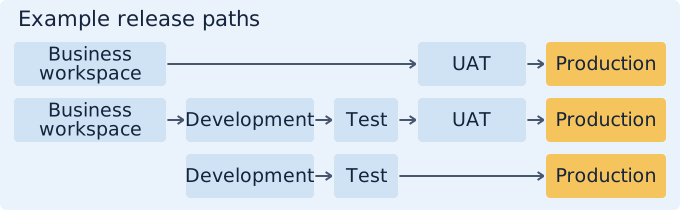
In the release model, teams can follow parallel paths. An app can start in the Business workspace or in Development. Each path includes the steps it needs before Production, such as Test and User Acceptance Testing (UAT). A stage can repeat, for example two successive test environments.
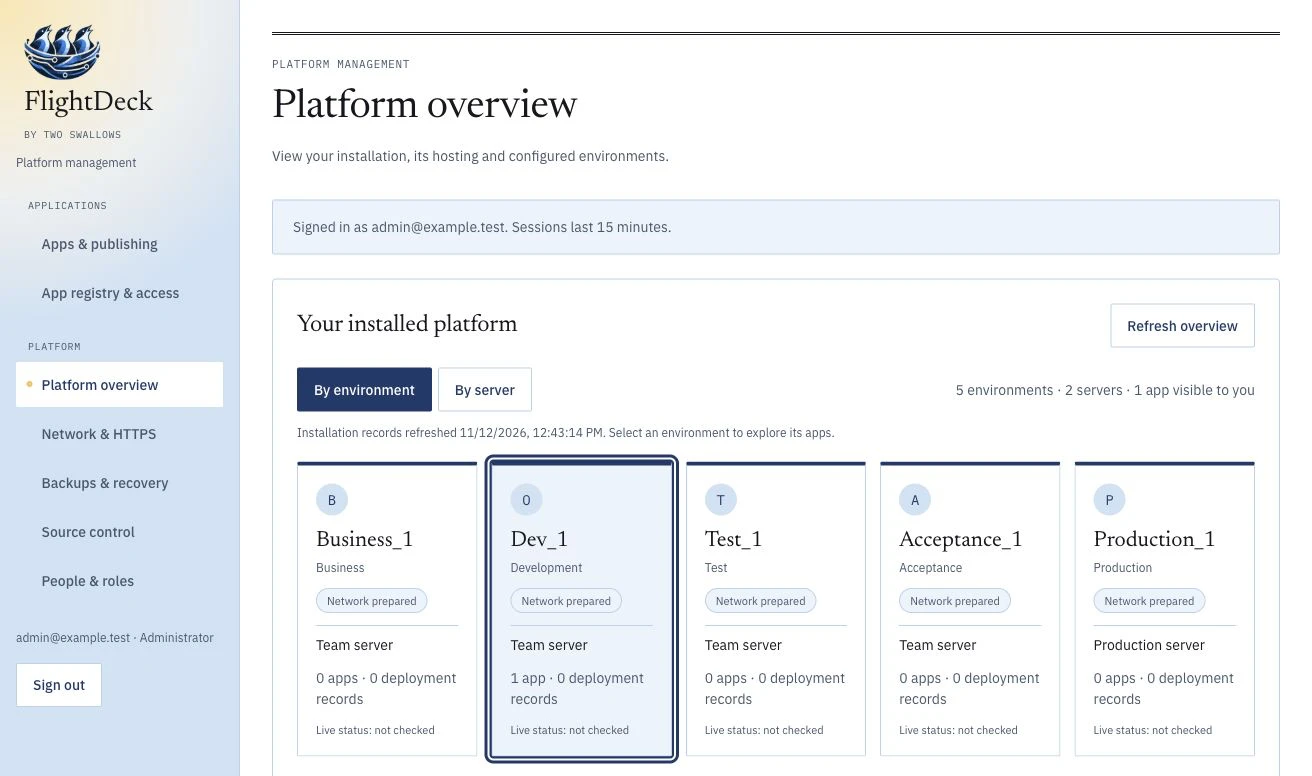
-
Register
An administrator records the application: the repository, the environments and the version of the guidelines that applies to it.
-
Grant access
Per person, per application and per environment. Developing, publishing and reviewing are separate permissions.
-
Build with AI
The developer opens a personal branch in VS Code, with the guidelines included and approved AI. The AI works by the rules of your organisation.
-
Review and promote
Each application follows its own path to Production, from the Business workspace or from Development. You choose per application which steps are needed.
What stays yours
- The source code: ordinary C#/.NET code in your own GitHub or Gitea repository.
- The servers: you choose where the environments run, with us or with you.
- The rules: your own guidelines, recorded per application and the same for everyone.
- The freedom: a second team or another supplier can take over the application.
For the business too
Work from the business falls under the same governance. A BI team, for example, designs a dashboard in the Business workspace under the organisation's guidelines. Reading data from another environment requires separate, approved read access. Being allowed to build a dashboard does not mean being allowed to look into production data.
See it with one app
Have two colleagues open the same app. Inspect their branches, shared guidelines and release permissions.
Further reading
The background and the trade-offs are in the FlightDeck whitepaper.
Start with one application.
Bring one application, its owner and someone who maintains it to a conversation. We choose a change that crosses a real handover and agree what a pilot should demonstrate.
Request a demo